


Redfin: Buy, Sell & Rent Homes
4.721.59K Reviews
App Specs
- Version
- 634.1
- Updated On
- License
- Free
- Downloads
- 10,000,000+
- Developer
- Redfin
- Categories
- House & Home
- Platform
- Android, iOS
Screenshots


 Analysis by AppCompare
For me, the main appeal of Redfin: Buy, Sell & Rent Homes is that it puts several stages of a housing search in one place. I can use it to browse homes, check rentals, or get a feel for a potential sale without starting from scratch in a different app. That convenience makes it a useful companion for early research, though it doesn’t replace the careful checks and conversations that a major housing decision deserves.
A practical tool for comparing possibilities
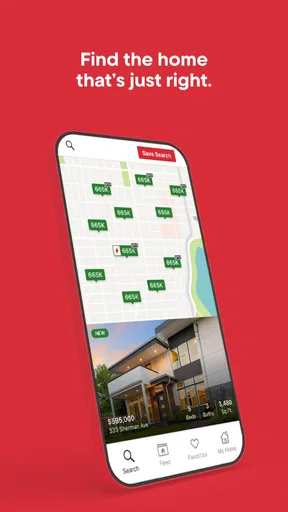
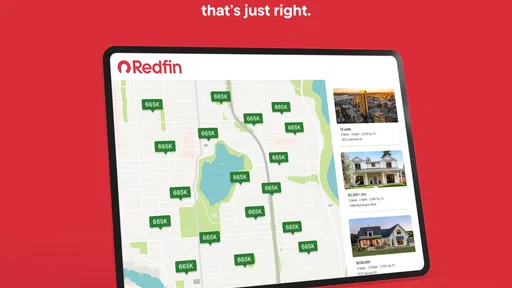
When I’m browsing, the map is more helpful than a long list of addresses. It lets me see how options are distributed across an area and notice when a promising property sits outside the neighborhood I had in mind. I’d use that view to compare locations first, then open individual listings to weigh photos, asking prices, and descriptions. It’s a simple workflow, but it helps keep the search grounded in where a home actually is.
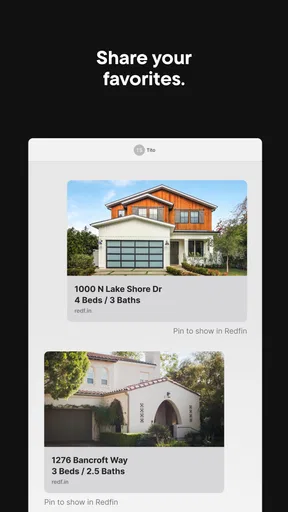
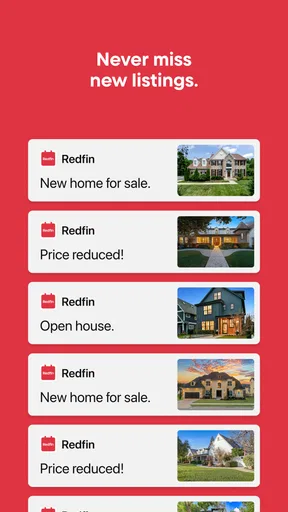
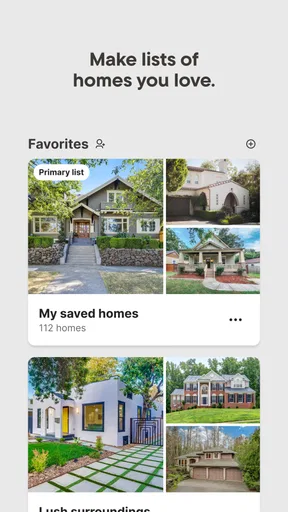
One useful habit is to save a short list of plausible choices rather than treating every interesting listing as a contender. Alerts for new listings and price changes can then help me revisit the shortlist when something changes. That is more manageable than checking the entire market repeatedly, and it makes comparisons less dependent on memory. A price change is a reason to look again, not proof that a home is a bargain; I’d still want to consider its condition, location, and fit.
Where the convenience has limits
Real estate listings are a starting point, not a complete picture of a property or its surroundings. Photos and descriptions can help me decide whether a place merits a closer look, but they can’t tell me how it feels at different times of day or answer every practical question. I’d verify important details directly and see a home in person before making a commitment. The same caution applies to neighborhood information: useful context, but not a substitute for visiting the area and deciding whether it suits my routine.
The app also brings together different kinds of housing searches, but buyers, sellers, and renters do not all need the same tools. Someone who only wants a rental may find the buying and selling material beside the point; a seller may still need a more personal discussion about timing and pricing. I see Redfin as a broad research hub rather than a promise that every part of a move can be completed inside one screen.
Who is likely to get the most from it?
I’d recommend trying it if you’re exploring several neighborhoods, comparing homes with rentals, or keeping an eye on changes while your plans take shape. It is especially handy when you want to browse in spare moments and return to a focused set of options later. If you already know exactly what you need, the filters can help narrow the field; if you’re still undecided, the map offers a useful way to explore before settling on a search area.
On the other hand, someone who prefers a highly personal, agent-led search from the outset may be better served by starting with direct conversations. And if your priority is only a specialized rental search, a rental-focused service may make it easier to concentrate on that one task. Redfin’s range is an advantage for people in transition, but it can feel broader than necessary when your needs are narrow.
Worth Reading Before You Choose

Flipboard Shows What News Apps Must Do Beyond the Feed

Switching to Android Auto Means Rethinking Your Driving Routine

Google Calendar Makes a Crowded Week Easier to Manage

Ludo King Makes the Most of the Minutes Between Plans

Baby Panda World Brings Quick Play to Modern Phones, but Its Game Library Feels Busy

ESPN’s Live Game View Makes Following Close Games Easier
Everyday use, without losing perspective
Imagine I’m considering a move but haven’t chosen between renting and buying. I can look at both kinds of listings around the areas I’m considering, use the map to compare locations, and save a few possibilities for a closer look. If a saved home changes price or a new option appears, an alert gives me a reason to review the list. I’d then arrange an in-person visit and confirm the details that matter before deciding. That sequence makes the app useful without mistaking browsing for due diligence.
For a seller, the app’s pricing guidance and agent connection can be a place to begin, but I would treat them as the opening of a conversation, not a substitute for judging the property and its local market. For renters, filters can reduce the clutter, while a tour is a sensible next step before committing. The best workflow is to use the app to identify questions and candidates, then use direct checks to answer those questions.
Why Redfin Stands Out
First off, the Redfin: Buy, Sell & Rent Homes app is incredibly intuitive. The user interface is slick and super easy to navigate. Whether you're buying, selling, or renting, everything is laid out in a way that even your tech-challenged uncle could figure out. Seriously, you open it up, and it’s like the app is holding your hand through the whole process. No fuss, no muss.
Finding Your Dream Home
Shopping for a new home? This app has got you covered. With a simple search, you can explore thousands of listings, complete with photos, pricing, and detailed descriptions. What I really love is the map feature. You can see all available properties in your desired area, and even check out neighborhood stats. It’s like having a real estate agent in your pocket. Plus, the app updates every few minutes, so you’re always in the loop with the latest listings.
Selling Made Simple
If selling is more your thing, Redfin has your back. You can list your property directly through the app, and they offer a pretty sweet deal on commission fees. The app helps you with pricing, staging, and even connects you with local Redfin agents. It’s like having a whole team working for you without the hefty price tag. And let’s be real, who doesn’t love saving some cash?
Renting? No Problem!
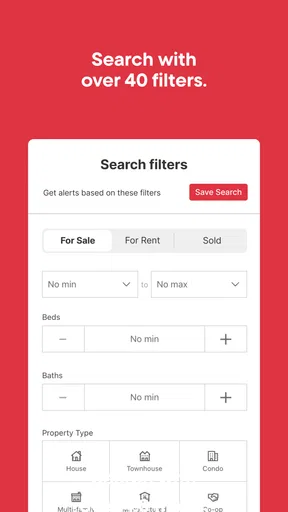
Renters, don’t feel left out! The app is also a gem for finding rental properties. You can filter your search by price, number of bedrooms, and other preferences. With detailed property insights, you know exactly what you’re getting into before you even step foot in the place. And with the ability to schedule tours directly through the app, it’s never been easier to find your next rental.
Additional Features
Redfin doesn’t stop there. They’ve packed in some nifty features like mortgage calculators, a comprehensive market analysis, and even school ratings for families scoping out new neighborhoods. The app syncs seamlessly with their website, so you can switch between devices without missing a beat.
I also appreciate the notifications feature. You can set alerts for new listings or price changes on properties you’re interested in. It’s a bit like having a personal assistant who’s always on top of things, keeping you in the loop.
In conclusion, the Redfin app is a powerhouse for anyone in the real estate game. Whether you’re buying, selling, or renting, it simplifies the whole process in a way that’s convenient and user-friendly. I genuinely think it’s a must-have for anyone serious about navigating the housing market. Give it a whirl, and you might just find your perfect place without breaking a sweat!
A measured recommendation
Redfin is a free House & Home app developed by Redfin, and its MLS-powered approach gives it a clear role as a place to begin looking across homes for sale and apartments for rent. It has a 4.7 average from around 160,000 ratings, with over 5 million installs. Rated for Everyone, it has been available since July 14, 2011; version 606.0 supports iOS 12 and later. Those figures suggest a well-established choice, but they don’t tell me whether a particular listing or service will suit an individual move.
Compared with using a general search engine or browsing one brokerage’s pages, the practical benefit is having sale and rental searches alongside map browsing and alerts. That breadth is handy while plans are unsettled. A dedicated rental service may be a cleaner fit for someone focused only on leasing, while a local agent can offer more tailored guidance when personal circumstances, deadlines, or property questions dominate. I’d choose the tool that matches the decision in front of me rather than assume one app should handle every part of a move.
Before relying on any listing, I’d check its current status and confirm the details that affect my decision. I’d also treat calculators, market information, school ratings, and pricing guidance as research aids, not guarantees. They can help me form better questions, but local conditions and a property’s specific circumstances still matter. If I’m moving with a family, for example, a school rating is a prompt to investigate the options and visit the area, not a complete measure of whether the neighborhood is right for us.
Make the search work for your priorities
A good way to avoid being overwhelmed is to decide what is non-negotiable before browsing: the areas you can realistically consider, the kind of housing you need, and the trade-offs you are willing to make. Then use filters to trim the field and the map to test whether the results make sense geographically. I’d keep a few alternatives that differ in meaningful ways—such as location or housing type—rather than saving many near-identical options. That makes later comparisons more useful and helps expose what I actually value.
For someone using the app between errands or during a commute, alerts can keep the search moving without requiring constant manual checks. I’d still avoid letting notifications dictate the pace of a decision. A newly listed property may deserve a look, but convenience is not a reason to skip reviewing the description, asking questions, or arranging a visit. If alerts become distracting, narrowing the saved search is more useful than reacting to every change.
My overall view is that Redfin is strongest as a flexible discovery and comparison tool: approachable for a first pass, broad enough for people weighing more than one path, and useful for keeping track of changes. It is less suited to anyone expecting an app to verify every detail, make a personal decision, or replace direct advice. I’d recommend it to home shoppers and renters who want a practical way to explore, and to sellers who want an initial route into pricing and agent conversations. Use it to organize the search, then bring the important decisions into the real world.
Pros
- User-friendly interface for easy navigation.
- Comprehensive property listings with details.
- Accurate and up-to-date market insights.
- Customizable search filters for precision.
- Integrated virtual tours for remote viewing.
Cons
- Notifications can be overwhelming at times.
- Limited international property listings.
- Some features require account creation.
- Occasional lag in app performance.
- In-app ads can be distracting.
FAQs for Redfin: Buy, Sell & Rent Homes
What features does the Redfin app offer for home buyers?
The Redfin app provides a comprehensive suite of features for home buyers, including up-to-date MLS listings, detailed home descriptions, and high-resolution photos. Users can schedule tours directly through the app and utilize tools like the mortgage calculator to estimate payments. The app also offers personalized notifications about new listings and price drops.
How accurate is the pricing information on Redfin?
Redfin's pricing information is generally very accurate, thanks to its direct access to MLS data and proprietary algorithms. The app updates listings every 5 minutes, ensuring users have the most current market information. However, prices can change quickly, so it's always advisable to verify details with a Redfin agent.
Can I sell my home using the Redfin app?
Yes, you can sell your home using the Redfin app. The app allows you to connect with a Redfin agent who will guide you through the selling process. Redfin offers a lower commission rate compared to traditional agents, and you'll have access to tools for pricing your home competitively and tracking its market performance.
Is the Redfin app free to use?
The Redfin app is free to download and use. Users can browse listings, schedule tours, and receive alerts without any cost. However, for buying or selling a home, fees may apply when utilizing Redfin's real estate services, including agent commissions and service fees for transactions.
How does Redfin ensure user privacy and data security?
Redfin prioritizes user privacy and data security through robust encryption protocols and strict privacy policies. The app collects minimal personal information required for its services and does not sell user data to third parties. Users can review and manage their data preferences through their account settings.


